
Stop Wasting Money: The $6 Secret to Hi-Res Audio on Windows 11
Think you need a $500 setup for studio-quality sound? Think again. Here is how to unlock high-resolution audio on your PC for the price of a latte.
Key takeaways
- You can bypass poor-quality internal PC audio using a budget USB-C DAC for under $6.
- The Apple USB-C dongle is a highly recommended, cost-effective tool for achieving studio-quality sound on Windows 11.
- Manual configuration in Windows 11 Sound Settings is required to enable 24-bit/192kHz output.
- Using specialized software like foobar2000 is necessary to ensure bit-perfect audio delivery.
The Audiophile Lie Is Over
Most computer users are currently listening to their music through what sounds like cardboard; however, they do not even realize their hardware is holding their headphones hostage. For years, the gatekeepers of high-fidelity sound insisted that you needed a massive desktop amplifier and a dedicated sound card costing hundreds of dollars to hear the difference in your favorite tracks. That era has officially ended. According to recent industry trends in the budget audio market, the most significant upgrade you can make to your Windows 11 experience costs less than a lunch special in most cities.
Internal laptop and desktop audio components are notorious for being an afterthought. They are often crammed onto motherboards next to noisy power supplies and buzzing processors, which creates electronic interference. This results in a flat, thin sound that lacks the dynamic range of a live performance. By spending less than $6 on a specific piece of hardware and tweaking a few hidden settings in Windows 11, you can bypass these limitations entirely.
Context: What Is a DAC?
A Digital-to-Analog Converter (DAC) is the bridge between your digital files and your ears. While every laptop has one built-in, they are usually low-quality components designed for basic notification sounds rather than music. An external USB DAC takes over the heavy lifting, converting data into sound waves with much higher precision and lower noise.
Step 1: Acquire the "Magic" Dongle
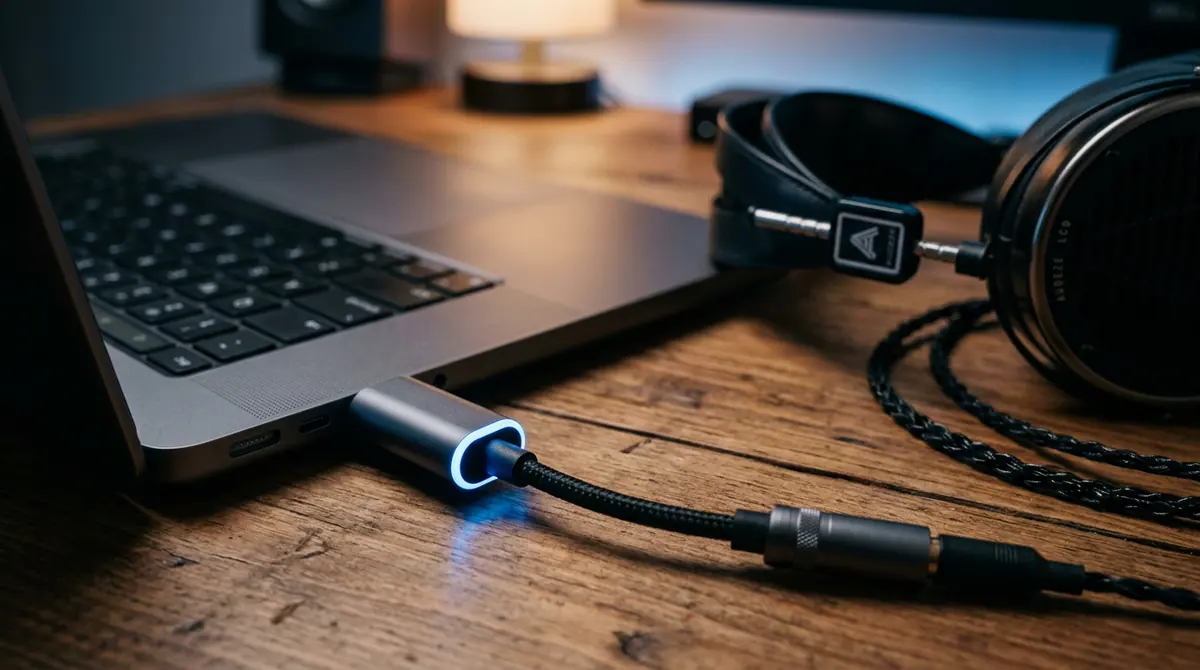
The secret to this budget revolution lies in a tiny device: the USB-C to 3.5mm headphone adapter. While brands like FiiO and Creative offer high-end versions, the Apple USB-C to 3.5mm dongle (which typically retails for exactly $9, but is frequently found for under $6 at major retailers) has become a cult favorite among audio enthusiasts. Despite its low price, independent testing shows it provides a clean, transparent signal that rivals equipment ten times its price. If your PC only has standard USB-A ports, a simple $1 adapter will complete the connection.
Step 2: Connect and Configure Windows 11
Once you plug your adapter and headphones in, Windows 11 will likely default to a standard, compressed audio format. You must manually unlock the high-resolution capabilities. Follow these steps to ensure you are getting the full bit-depth:
- Open Settings and navigate to System, then select Sound.
- Click on your new USB Audio Device to open the Properties menu.
- Under Output Settings, look for the Format dropdown menu.
- Select 24-bit, 192000 Hz (Studio Quality) or the highest available option for your specific adapter.
- Ensure that Enhance Audio is toggled to "Off" to prevent Windows from adding artificial filters to your music.
Step 3: Choose the Right Software
Your audio is only as good as the app playing it. According to research from audio software developers, standard web browsers often compress audio to save bandwidth. To hear the difference, use applications that support "Exclusive Mode," which allows the app to take direct control of the DAC. Software like foobar2000 (which is free) or specialized services like Tidal and Audirvana are essential for true high-resolution playback. These programs ensure that every bit of data reaches your ears exactly as the artist intended.
Why It Matters
This shift represents the democratization of high-end audio. In the past, high-fidelity sound was a luxury hobby reserved for those with deep pockets; today, it is a software and minor hardware adjustment away. As streaming services like Apple Music and Amazon Music move toward lossless audio as a standard feature, having the hardware to actually hear those extra bits is becoming a requirement for anyone who values their media experience.
What Changed: The Rise of the Dongle
The move away from internal sound cards to external USB-C audio has been the biggest "delta" in the industry over the last three years. While manufacturers used to compete on internal audio chipsets, they have now offloaded that responsibility to external accessories. This has unintentionally created a market for ultra-affordable, high-performance adapters that outperform the old internal systems by a wide margin.
Common Mistakes to Avoid
The most frequent error is using high-resolution settings with low-quality headphones. If you are using the free earbuds that came with a phone from 2015, the $6 upgrade will still be limited by the physical speakers. Aim for a pair of "entry-level audiophile" headphones to truly hear the separation of instruments. Additionally, avoid plugging your new DAC into a non-powered USB hub; these can introduce the same electronic noise we are trying to escape. Always plug directly into the PC motherboard if possible.
What to Watch Next
Looking forward, Microsoft is expected to integrate more robust spatial sound and auto-bitrate switching into Windows 11 updates throughout 2026. This would eliminate the need for manual configuration, making hi-res audio a "plug and play" experience for everyone. Furthermore, as solid-state battery technology and more efficient chips enter the market, we may see even more powerful amplifiers shrinking down to the size of a fingernail.
The takeaway is simple: do not let your PC dictate how your music should sound. By bypassing the cheap internal components of your computer, you can reclaim the clarity, depth, and emotion of your favorite albums for less than the cost of a movie ticket. It is time to stop listening to the "cardboard" and start hearing the music.
Sources (5)
Discussion (0)
Commenting as
No comments yet. Be the first to share your thoughts!
The discussion could not be loaded. Please refresh the page.
Innovation correspondent with 10 years in Silicon Valley


