
Master Your Meta Ray-Ban Display: The Ultimate Setup and Gesture Guide
Learn how to set up the world's first consumer AR glasses and Neural Band to unlock futuristic gesture control and real-time AI assistance in minutes.
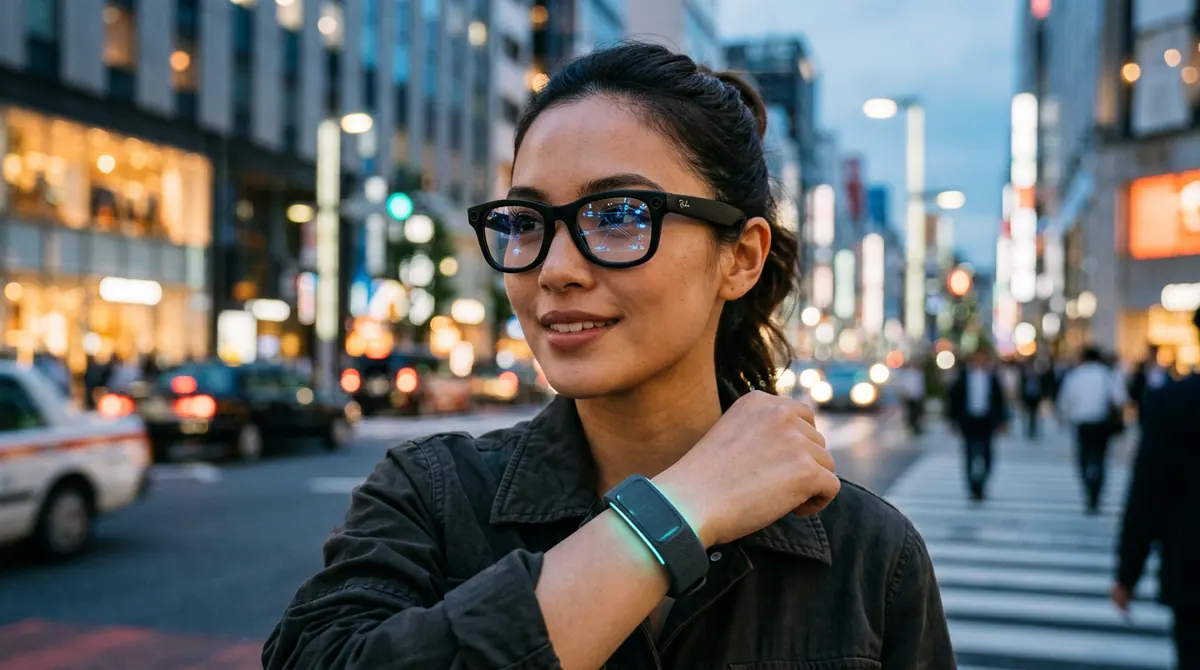
Key takeaways
- The Meta Ray-Ban Display glasses and Neural Band launched on September 30, 2025, for $799.
- The Neural Band requires a two-minute calibration to achieve 95 percent gesture accuracy using EMG technology.
- The display is monocular, appearing only in the right lens, and is 50 percent brighter than earlier prototypes.
- Users can access real-time translation and automated sports capture through partnerships with Garmin and Oakley.
- If the band causes skin irritation, free silicone covers are available via Meta support as of March 2026.
Welcome to the Future of Hands-Free Computing
Imagine walking through a foreign city and seeing live subtitles for every conversation appearing right in your field of vision, or answering a text message with a simple twitch of your thumb while your hands are deep in your pockets. This is no longer the stuff of science fiction. At Meta Connect 2025, held from September 17 to 18 in Menlo Park, CEO Mark Zuckerberg unveiled the Meta Ray-Ban Display glasses and the accompanying Neural Band, marking a massive shift in how we interact with the digital world. According to a report from Business Insider, these glasses are the first consumer-ready AR devices to integrate a high-resolution, full-color display into a standard frame, moving us one step closer to what Zuckerberg calls personal superintelligence.
For $799, this bundle (which launched at major US retailers like Best Buy and LensCrafters on September 30, 2025) offers a glimpse into a phone-free future. However, because this technology relies on electromyography (EMG) to read your muscle signals, the setup process is a bit more involved than your typical pair of headphones. This guide will walk you through the essential steps to master your new wearables and avoid common pitfalls.
Step 1: Pairing and the Meta View App
Before you put on the glasses, ensure they are fully charged. The glasses offer about six hours of battery life, while the Neural Band provides a robust 18 hours of power. Start by downloading the Meta View app on your smartphone. Open the app and follow the prompts to pair both the glasses and the band via Bluetooth. Meta's official blog notes that this centralized app will manage everything from your AI settings to your media captures on Instagram and WhatsApp.
Step 2: The Two-Minute Neural Calibration
The Neural Band is the most innovative part of this kit. Made with Vectran, a material used in Mars Rover landing systems, the band detects electrical signals from your muscles before your hand even moves. To get that magic-like control, you must calibrate the device. The app will guide you through a series of subtle gestures, such as pinching your thumb and index finger or flicking your wrist. Research shared by Meta suggests that this calibration takes roughly two minutes and achieves a 95 percent gesture accuracy rate once completed.
Step 3: Navigating the Monocular Display
One of the most surprising features mentioned in early hands-on reviews from The Verge is that the display is monocular, meaning it appears only in your right lens. To see notifications or navigation overlays, look slightly up and to the right. The display is designed to auto-fade when not in use to save battery and reduce distraction. If you find the display too dim, CNET notes that the 2025 model is 50 percent brighter than previous prototypes, but you can further adjust the brightness within the app settings.
Step 4: Activating AI and Live Translations
To use the real-time translation features, tap the temple of the glasses or use a voice command like, "Hey Meta, translate what I'm hearing into English." By late 2025, Meta reported that AI handled 70 percent of all glass interactions. You can also sync with the Oakley Vanguard performance line if you are an athlete; according to Garmin, their partnership allows these glasses to capture video automatically when you reach specific speeds or distances during a workout.
What Changed: The Meta Leap
The jump from the 2023 Ray-Ban Meta glasses to the 2025 Display model is significant. Previously, the glasses were limited to audio and cameras (using the Llama AI models). The new version introduces a physical visual interface and the Neural Band, moving away from touch-only controls to intention-based gestures. This is a clear move from a passive recording device to an active AR computer.
Why It Matters
This tech matters because it addresses phone dependency. By moving notifications and AI assistance into your line of sight, you can stay present in the physical world while remaining connected. However, it is not without controversy. Business Insider pointed out that some users find the muscle-reading technology creepy, and privacy advocates remain concerned about the always-on nature of the cameras. Despite these concerns, IDC reports that the smart glasses market grew 25 percent in 2025, indicating that consumers are ready for this transition.
Common Mistakes and Pro Tips
- Avoid Skin Irritation: Some early adopters reported skin sensitivity to the Neural Band. If you experience this, Meta's support forum noted in March 2026 that free silicone covers are available to improve comfort.
- Manage Your Battery: Lifehacker warned that high-use AI features can drain the battery faster than the advertised six hours. Turn off the heads-up display when you are indoors to preserve power.
- Stay Updated: Firmware version 2.1, released in early 2026, added essential AR navigation overlays. Always ensure your Meta View app is up to date to access these features.
What to Watch Next
Keep an eye on the software ecosystem. Following the $5 billion investment from EssilorLuxottica, more fashion-forward frames are expected in 2026. Furthermore, Zuckerberg has already hinted at Orion 2.0, a prototype that may bring full holographic AR to consumers by 2027. For now, mastering the Neural Band is your first step into a much larger digital world.
Discussion (0)
Commenting as
No comments yet. Be the first to share your thoughts!
The discussion could not be loaded. Please refresh the page.
How-to guide expert and developer advocate


