
Forget Your Keys: How to Set Up the Philips 5000 Palm Recognition Lock
Tired of fumbling for keys or struggling with fingerprint scanners? Learn how to master the latest in biometric security using palm vein recognition technology for your home.
Key takeaways
- Palm vein recognition is more reliable and secure than fingerprint scanning because it maps internal structures rather than surface skin.
- The Philips 5000 Series has dropped in price to approximately 213 dollars, making it a competitive option for high-end home security.
- The lock features built-in Wi-Fi, eliminating the need for a separate hub or bridge for remote access.
- Always set up multiple entry methods including passcodes and physical keys as a fail-safe for biometric systems.
Waving Goodbye to Physical Keys
Imagine walking up to your front door with your hands full of groceries and, instead of fumbling for a metal key or trying to press a tiny fingerprint scanner, you simply hold out your palm. The door clicks open instantly. This is not a scene from a futuristic film; it is the reality of palm vein recognition technology, a feature once reserved for high-security bank vaults that has finally arrived in the consumer market. According to recent product listings from retailers like StackSocial and Cult of Mac, the Philips 5000 Series Palm Recognition Lock has recently seen a significant price drop to approximately 213 dollars, down from its usual 280 dollar price point, making this high-tech entry method more accessible than ever before.
Unlike traditional fingerprint scanners that can be fooled by dirt, moisture, or even a worn-down print, palm vein technology looks beneath the skin. It maps the unique pattern of veins in your hand using near-infrared light. Because these patterns are internal, they are nearly impossible to forge, providing a layer of security that traditional biometrics simply cannot match. If you are ready to upgrade your home security, here is your comprehensive guide to setting up and optimizing this cutting-edge device.
What is New: The Shift from Fingerprints to Veins
For years, the gold standard for biometric locks was the fingerprint sensor. However, the industry is shifting. As noted on the official Philips product page, the 5000 Series utilizes palm vein recognition as its flagship feature. The major change here is the reliability factor: fingerprints can be obscured by sweat or calluses, but your internal vein structure remains consistent regardless of surface-level skin conditions. Additionally, this model features built-in Wi-Fi, which means you no longer need to purchase an extra bridge or hub to connect the lock to your internet, a common frustration with older smart lock generations.
Step 1: Installation and Hardware Basics
The first step in modernizing your entryway is the physical installation. The Philips 5000 is designed to fit standard doors, replacing your existing deadbolt. Because it features built-in Wi-Fi, the setup is more streamlined than many of its competitors. You will need a screwdriver and about twenty minutes of time. Ensure that the internal cable connecting the exterior scanner to the interior battery pack is seated firmly; a loose connection is the most common reason for initial setup failures. Once the hardware is mounted, the lock will provide voice prompts to guide you through the initial power-on phase.
Step 2: Mapping Your Palm
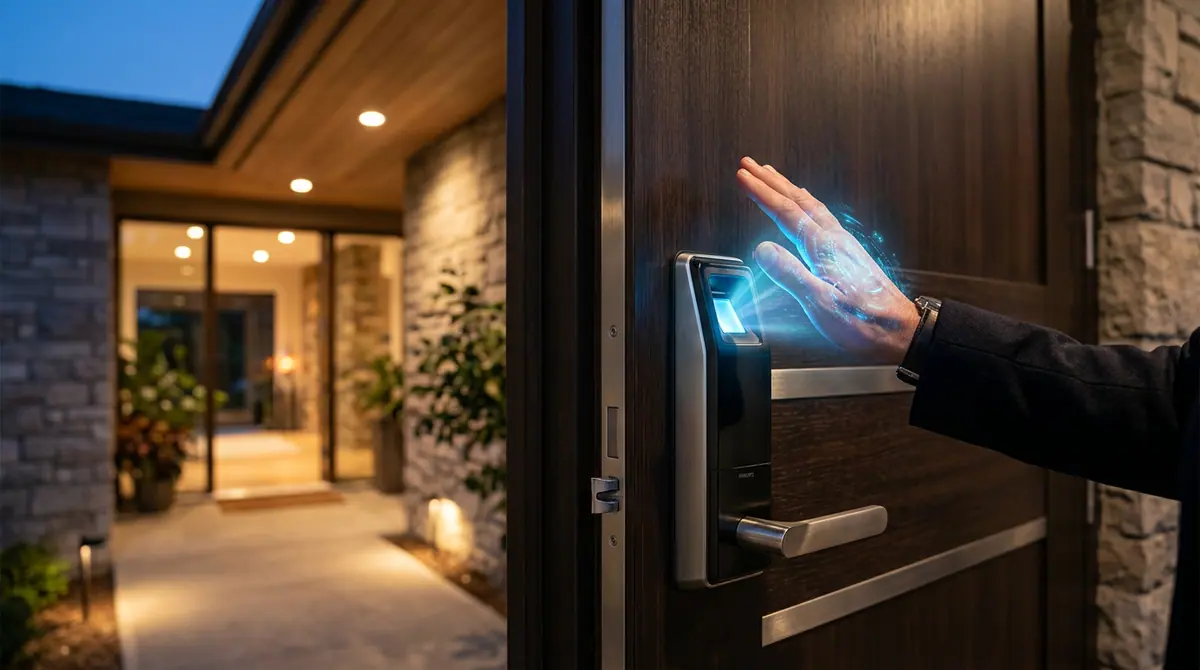
The magic happens during the enrollment phase. Open the Philips Home Access app on your smartphone to begin the process. When prompted, you will hold your palm about four to six inches away from the scanner. Unlike a fingerprint sensor where you press down, the palm scanner is touchless. The device will take several scans to create a high-definition map of your vein structure. For the best results, enroll both your left and right palms so you can gain entry regardless of which hand is holding your bags. According to marketing materials from Philips, the system is designed to be intuitive, using light indicators to help you find the perfect distance for the scan.
Step 3: Setting Up Secondary Access Methods
A smart homeowner always has a backup plan. While palm recognition is the primary draw, the Philips 5000 offers multiple ways to enter. You should immediately set up a master passcode and at least one physical key backup. The app also allows for voice unlock integration and remote control. If you have a guest arriving while you are at work, you can use the built-in Wi-Fi to unlock the door from your phone or provide them with a temporary PIN code that expires after a set period. This multi-modal approach ensures you are never locked out, even in the unlikely event of a hardware glitch.
Why it Matters: The Security of the Invisible
Security experts often point out that anything on the surface of your body can be copied. High-resolution photos can sometimes be used to spoof facial recognition or even fingerprints. However, your vein pattern is invisible to the naked eye and requires a living, breathing hand with active blood flow to be read. By moving the security check beneath the skin, you are effectively using a "hidden" key that you can never lose and no one can steal. This transition represents a significant leap in residential privacy and safety.
Common Mistakes to Avoid
- Avoid Direct Sunlight: While the scanner is robust, installing it in a location where the sun shines directly into the sensor at midday can occasionally interfere with the infrared mapping process.
- Keep the Sensor Clean: Although it is touchless, dust can settle on the lens. A quick wipe with a microfiber cloth once a month keeps the recognition speed at its peak.
- Battery Neglect: Smart locks are only smart as long as they have power. The Philips 5000 provides low-battery alerts through the app; do not ignore these notifications, as the motorized bolt requires more power than a simple LED display.
What to Watch Next
As biometric prices continue to fall, expect to see palm vein recognition become a standard feature in high-end appliances and even vehicle entry systems. We are moving toward a "password-less" physical world. Within the next three to five years, the traditional metal key may become a collector's item rather than a daily necessity. For now, the Philips 5000 represents the current peak of this trend, offering a glimpse into a future where your hand is the only key you will ever need.
Sources (6)
Discussion (0)
Commenting as
No comments yet. Be the first to share your thoughts!
The discussion could not be loaded. Please refresh the page.
Digital transformation writer and startup advisor


